tools
CSV in, branded report out — 60 seconds
Drop a Google Analytics, Google Ads, or Search Console export. Get a professional PDF report with AI-written executive summary, KPI scorecard, charts, and strategic recommendations. Other reporting tools cost $79–479/month — this is $0.20 per report .
How it works
Three steps. No learning curve.
Export a CSV from your analytics platform, drop it in, get a client-ready PDF. That's the whole workflow.
01
Upload your CSV Export from Google Analytics, Google Ads, or Search Console. ReportGen auto-detects the platform and normalizes the data.
02
Set your branding Add your client name, agency name, brand color, and logo. Or just type a client name — sensible defaults handle the rest.
03
Get your report AI generates an executive summary, channel analysis, and recommendations. Everything renders into a branded PDF you can send immediately.
Sample output
See what you get
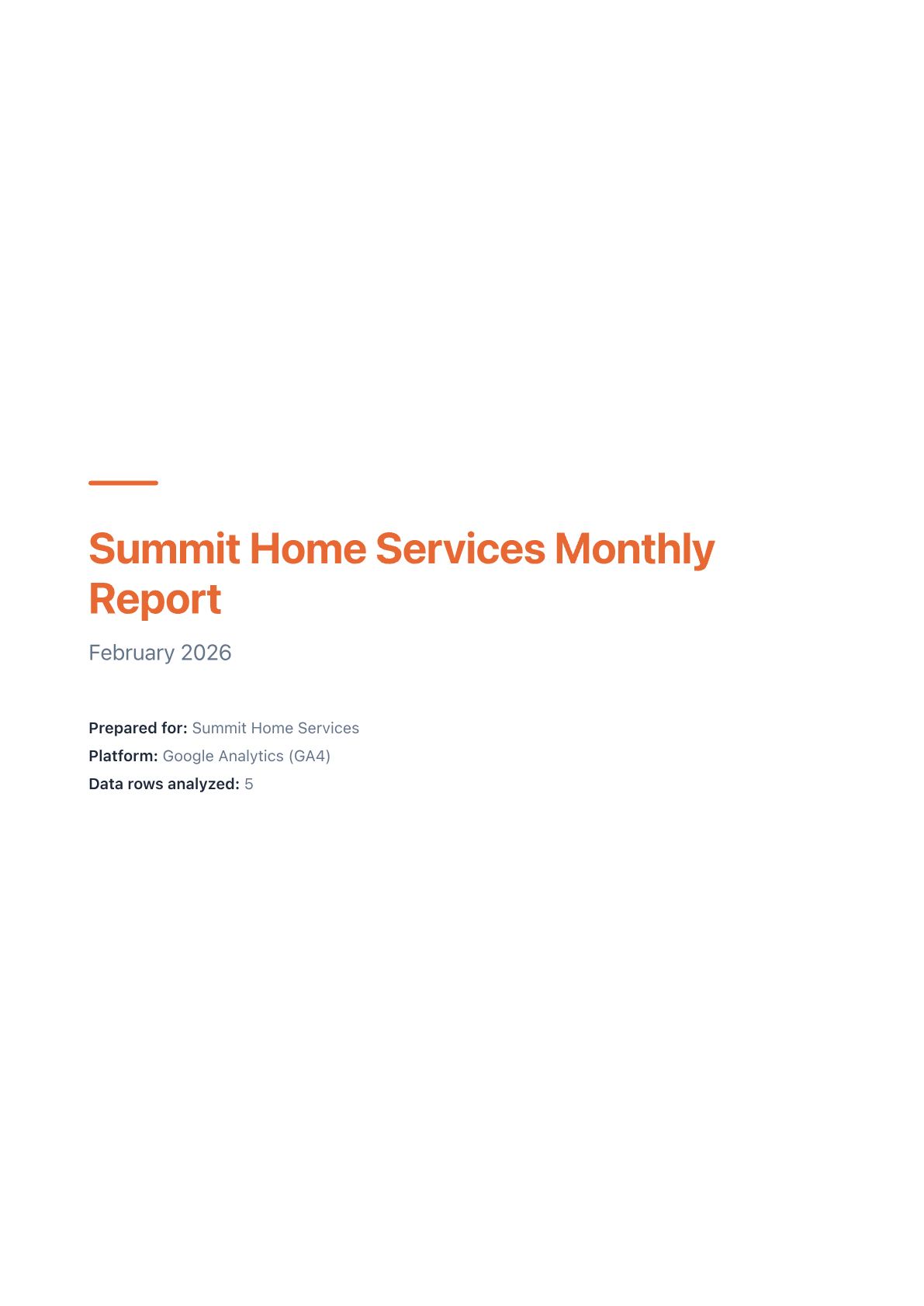
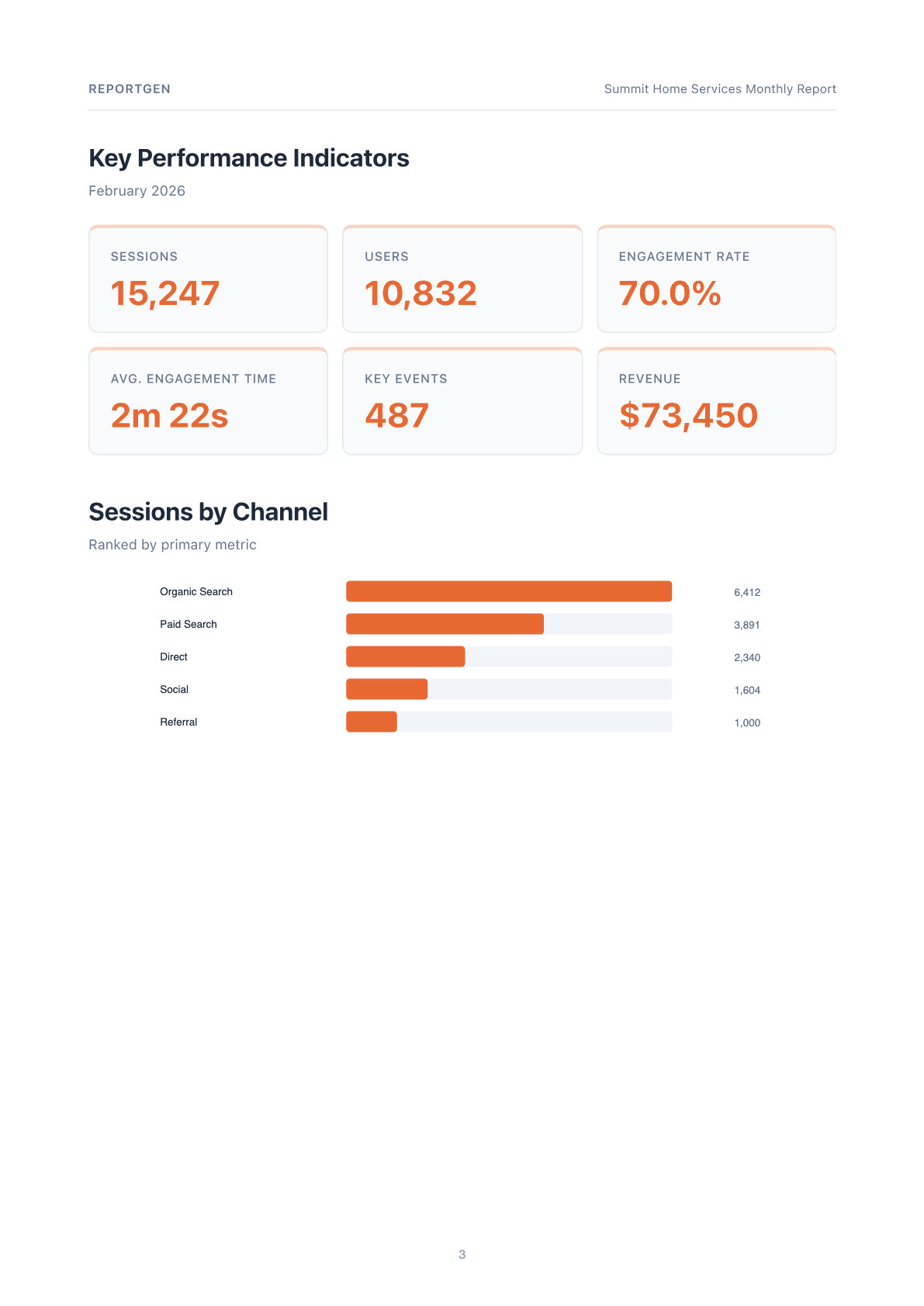
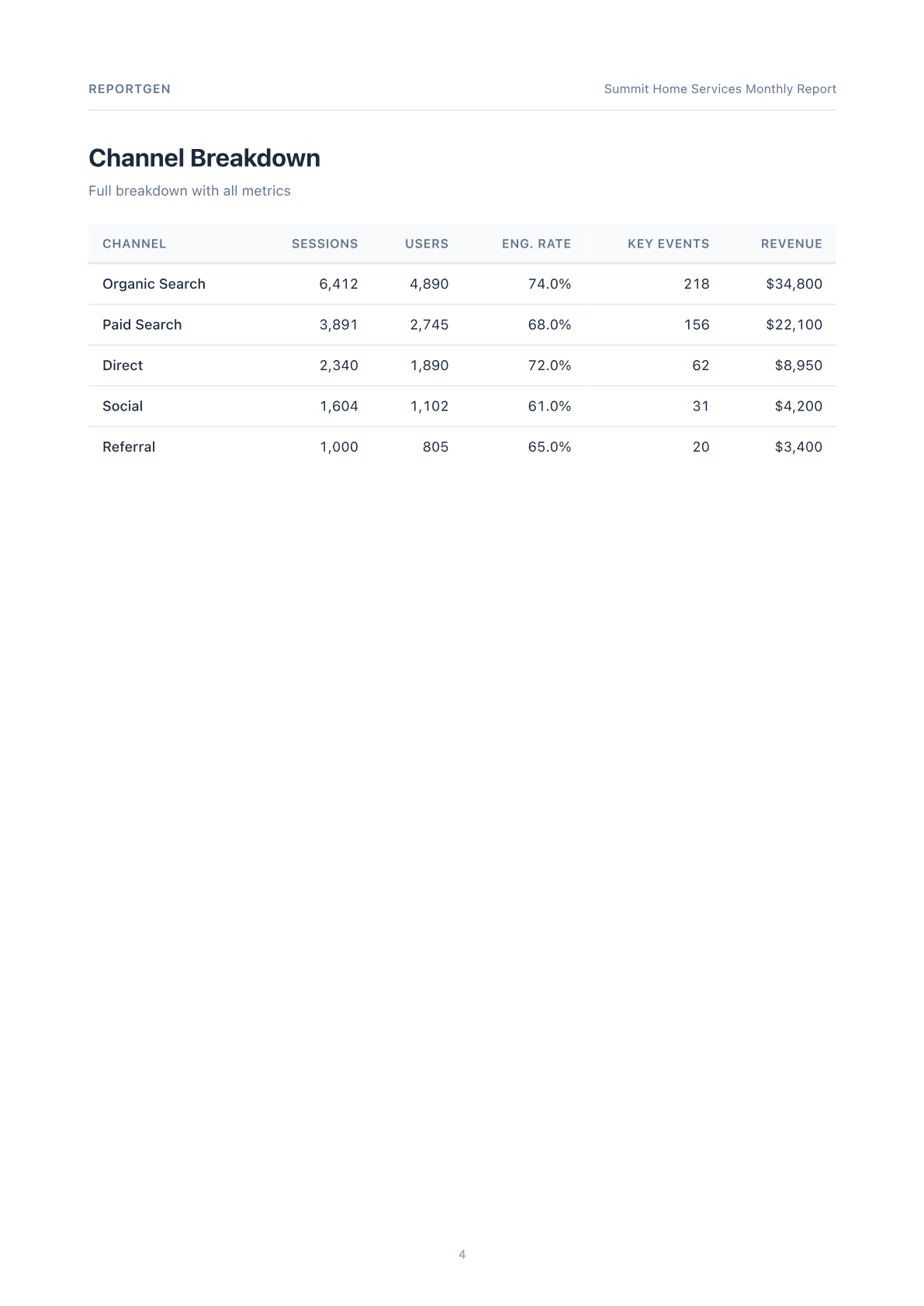
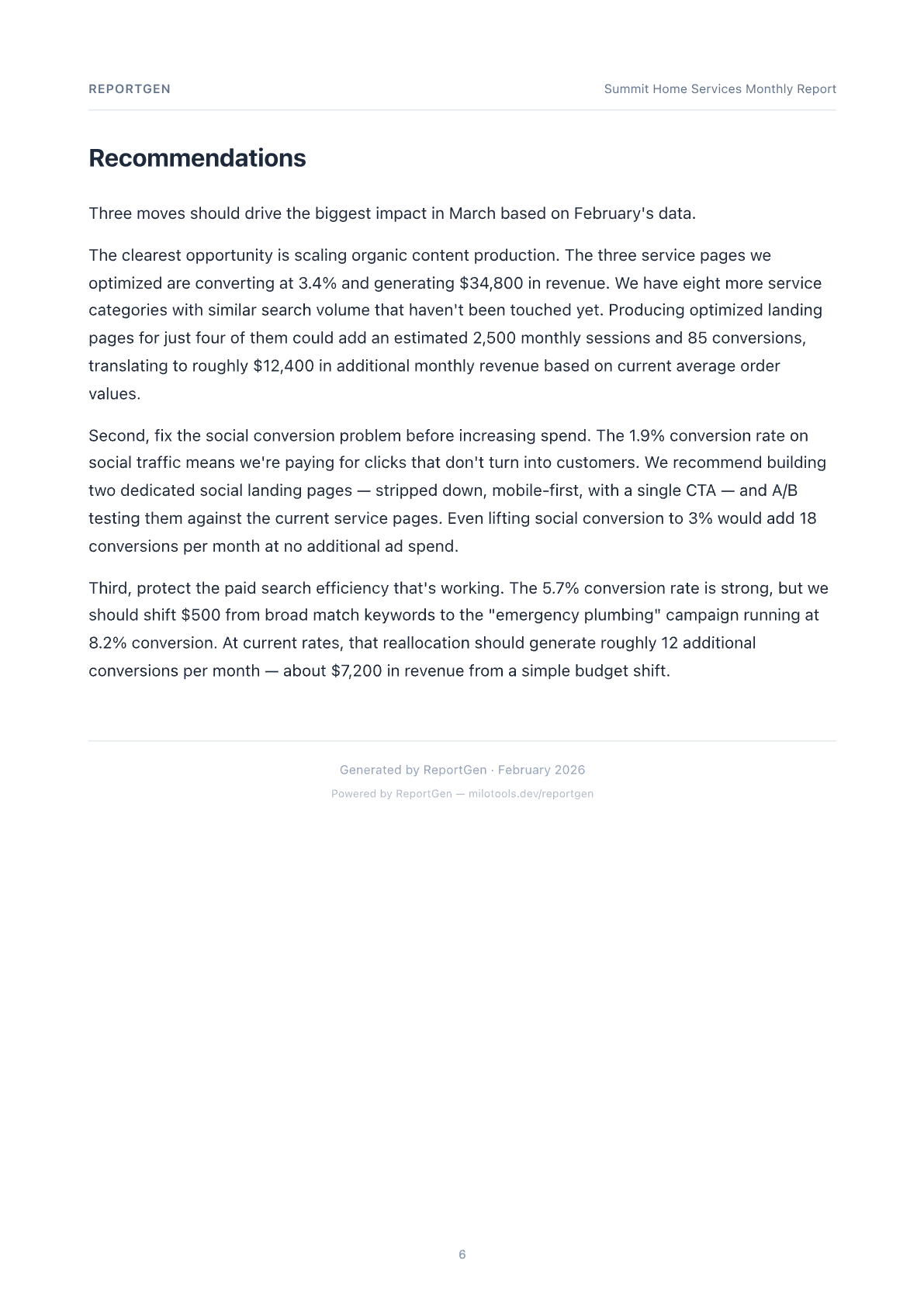
Real pages from a demo report generated by ReportGen. This is what your clients receive.
What's in the report
Everything a client expects. Nothing you have to build.
Each report includes the sections agencies actually send to clients — written by AI that references your specific data.
📊
KPI Scorecard Headline metrics with big-number widgets — sessions, users, conversions, revenue, cost, ROAS. At a glance.
📈
Trend Charts Inline SVG charts showing performance over time. Bar charts for channel comparisons, line charts for trends.
✍️
AI Executive Summary 3-5 paragraphs that lead with the biggest finding and reference specific numbers. Reads like a senior strategist wrote it.
📋
Channel Analysis Breakdown by channel or campaign with narrative insights on what's working and what needs attention.
💡
Recommendations Actionable next steps based on the data — not generic advice. Each recommendation ties back to a specific metric.
🎨
Custom Branding Your logo, your colors, your agency name. Every report looks like it came from your team, not a tool.
↕️
Period Comparison Upload two CSVs — current and previous period. Get delta indicators and trend arrows on every KPI.
🤖
MCP Compatible Available to AI agents via Apify's MCP server at mcp.apify.com. Your agents can generate reports autonomously.
Supported platforms
Works with the exports you already have 📊
Google Analytics GA4 exports
📢
Google Ads Campaign data
🔍
Search Console Queries & pages
📱
Facebook Ads Coming soon
Pricing
$0.20 per report. That's it.
No monthly subscription. No tiers. No minimum. Generate one report or one thousand — you pay $0.20 each. Powered by Apify's Pay-Per-Event billing.
ReportGen
$0.20 / report
20 reports/month = $4
✓ AI-written narrative insights✓ Custom branding & logo✓ Period-over-period comparison✓ Batch processing (up to 50)✓ Email delivery to clients✓ Demo mode — try free
Try it on Apify →
Typical alternatives
AgencyAnalytics
$79 – $479 /mo
Whatagraph
$219 – $463 /mo
Metrics Watch
$49 – $399 /mo
Same branded PDF reports. Same AI insights. Fraction of the cost — pay only for what you generate.
→ Bring your own AI API key (Anthropic, OpenAI, or Google). You pay the AI provider directly — typically a few cents per report.
Bring your own key
Your AI provider, your choice
ReportGen supports multiple AI providers for narrative generation. Use whichever you already have an API key for.
Anthropic Claude Sonnet 4.6 — best narrative quality
OpenAI GPT-5-mini — fast and cost-effective
Google Gemini 3.1 Flash Lite — lowest cost option